Default Site Title
ccna-banner-image

CompTIA A+ Core 1

CompTIA A+ Core 1 validates essential skills in operating systems, security, software troubleshooting, and operational procedures.

CompTIA A+ Core 1

CompTIA A+ Core 1 validates essential skills in operating systems, security, software troubleshooting, and operational procedures. Passing Core 2 and Core 1 prepares you for IT support roles and builds a foundation for advanced certifications like Network+ and Security+.

Course Overview

Emigo Networks delivers expert training for the CompTIA A+ Core 1 (220-1201) V15 certification, the first of two essential exams to launch your IT career. This course equips learners with foundational skills in hardware, networking, mobile devices, virtualization, cloud computing, and troubleshooting. Designed to prepare you for roles like IT support specialist and help desk technician, the training focuses on core domains—including mobile device setup, networking protocols, hardware installation, cloud concepts, and hands-on troubleshooting techniques.

With a blend of theoretical knowledge and practical scenarios, participants gain the confidence and real-world experience needed to excel in today's hybrid IT environments and build a pathway toward advanced certifications such as Network+ and Security+

What You'll Learn

  • Learn to install, configure, and manage computer hardware components as well as mobile devices effectively.
  • Gain expertise in troubleshooting hardware failures, network issues, and connectivity problems in real-world environments.
  • Build a strong foundation in networking essentials and learn how to set up and configure SOHO (Small Office/Home Office) networks.
  • Understand and explain key concepts of virtualization, cloud computing, and modern IT infrastructure.
  • Master the use of diagnostic tools and troubleshooting techniques to quickly identify and resolve technical issues.

Syllabus Summary

A+ Core 1 V15 Mobile devices
  • Hardware setup: installing components like batteries, cameras, and Wi-Fi antennas.
  • Accessory options: configuring USB, Bluetooth, NFC, and docking stations.
  • Network setup: configuring Wi-Fi, Bluetooth, cellular data, and synchronization settings.
  • Troubleshooting: identifying and fixing hardware and connectivity issues.

Networking
  • Protocols and ports: learning about networking protocols, ports, and wireless technologies.

  • SOHO networks: setting up small office/home office networks, including IP addressing and VPNs.

  • Networking tools: troubleshooting with crimpers, cable testers, and Wi-Fi analyzers.
Hardware
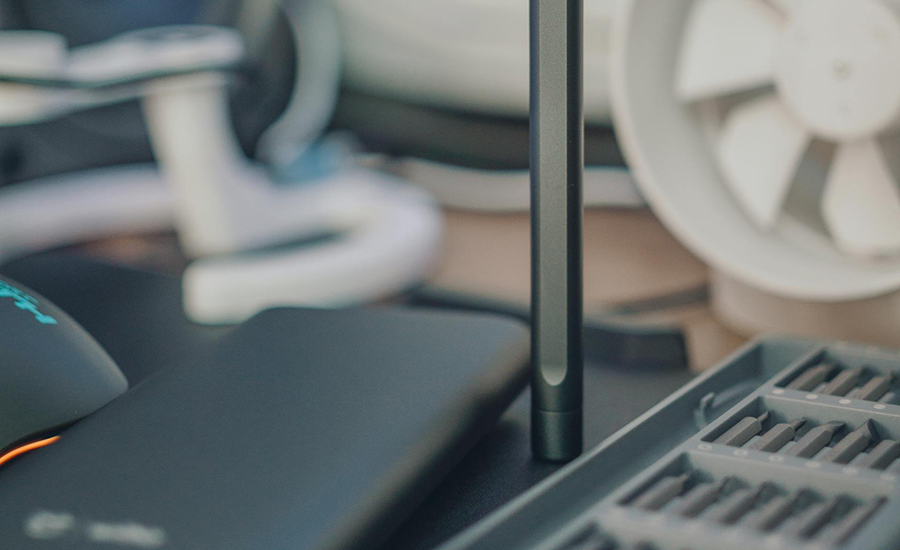
  • Component installation: setting up RAM, CPUs, and storage devices.
  • Cables and connectors: working with HDMI, Ethernet, and USB cables.
  • Peripheral devices: installing and maintaining printers, scanners, and other peripherals.
  • Motherboards and power: configuring motherboards, power supplies, and cooling solutions
Virtualization and cloud computing

Virtualization concepts: understanding virtual machines, hypervisors, and desktop virtualization.

Cloud models: learning about IaaS, SaaS, and PaaS.


Hardware and network troubleshooting
  • Diagnosing issues: identifying and fixing hardware, network, and connectivity problems.
  • Troubleshooting tools: using multimeters, cable testers, and loopback plugs.

Pre-requisites

  • No formal prerequisites required, though foundational IT knowledge is beneficial.
  • Recommended hands-on experience: Approximately 12 months in an IT support role—such as a help desk technician or junior network technician—is highly suggested to ensure success. 
  • Academic or self-study preparation: While not mandatory, familiarity with basic hardware, operating systems, and networking concepts helps candidates prepare more effectively.

Required Exams

  • Exam: 220-1201 Core 1
  • Cost: 186 USD
  • Duration: 90 minutes per exam

Related Courses

experts-banner-background

EMIGO Expert Training Team

new-batch-mage

New Batches Commence On

Testimonials

enquiry-section1-bg
enquiry-form-model1

Learn like a Leader
Not a follower

Scan or Click on the QR Code to submit your enquiry

Enquiry
enquiry-section1-qrcode
footer-enquiry footer-enquiry